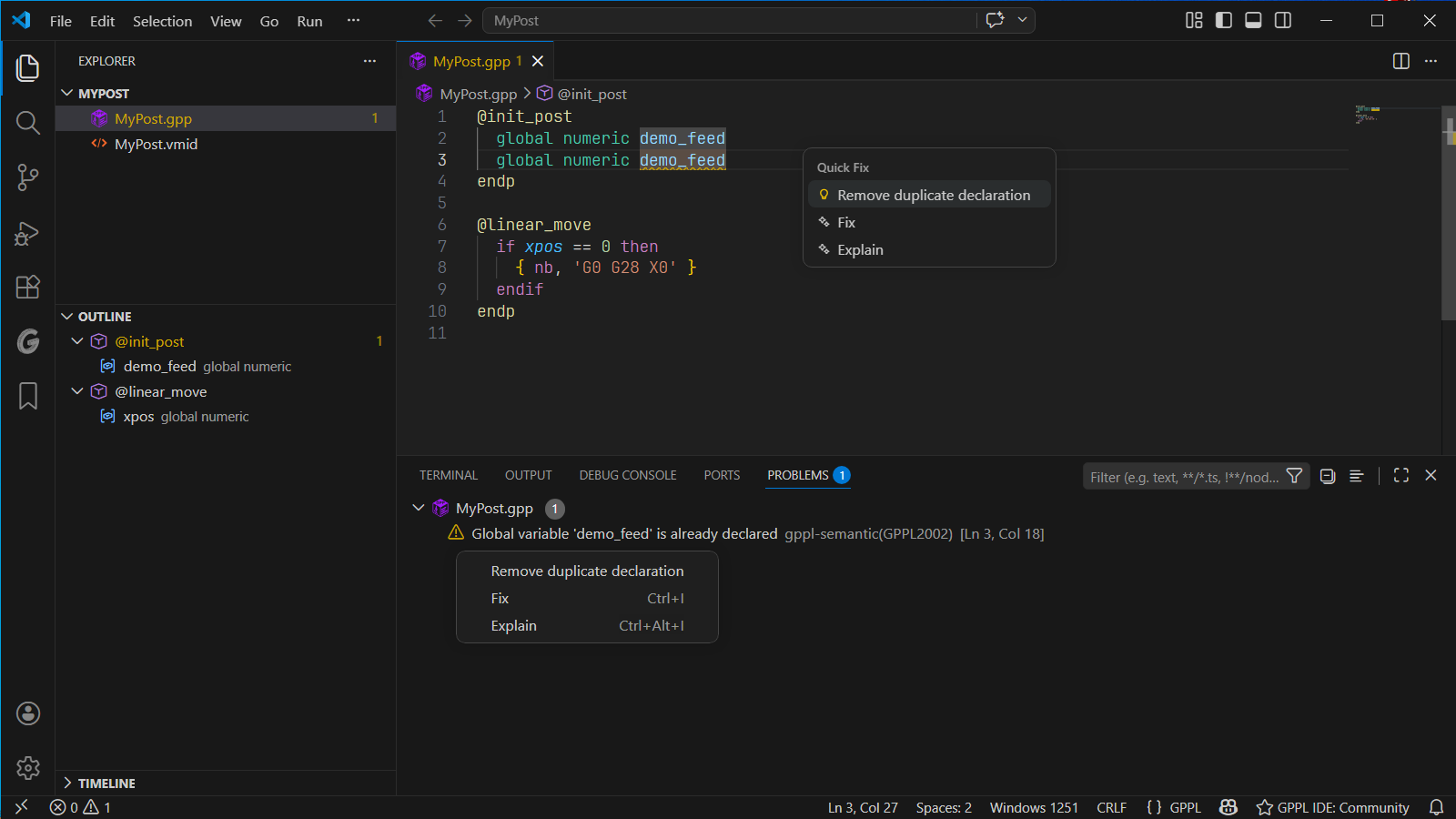
Diagnostics and quick fixes
Open View → Problems (Ctrl+Shift+M) to inspect diagnostics. Select a message to move to the relevant line. Press Ctrl+. at that location to see available quick fixes.
Start with syntax errors near the beginning of a file: an unclosed block or string can cause additional messages further down.
Diagnostic codes remain stable: GPPL1xxx identifies syntax problems, GPPL2xxx semantic or structural problems, and GPPL3xxx encoding or document-limit issues.
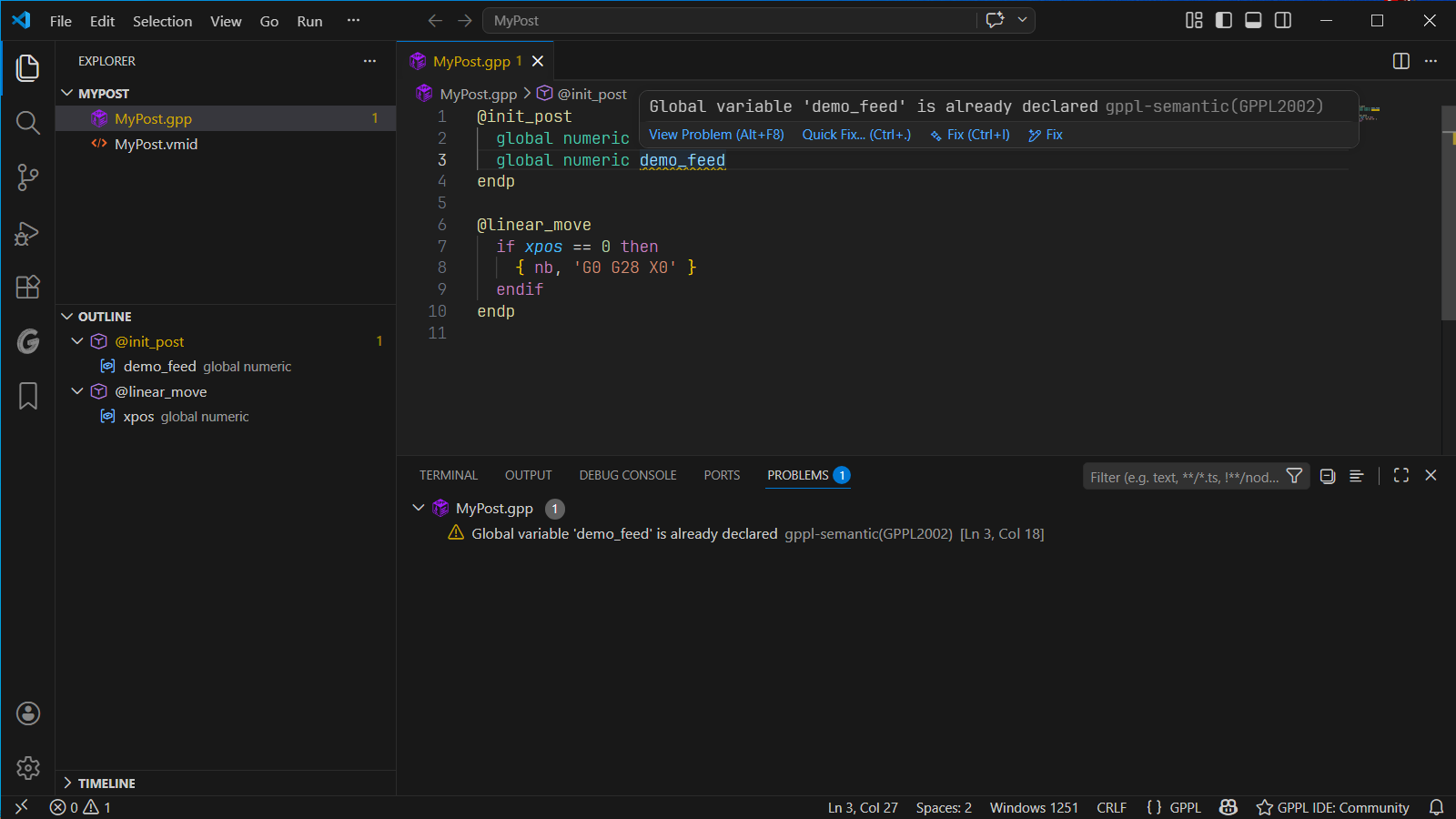
GPPL2002. Select the image to view it at full size.Syntax
Section titled “Syntax”| Code | Meaning | What to check |
|---|---|---|
GPPL1001 |
Unterminated string | Match the opening quote. |
GPPL1002 |
Unexpected character | Check pasted punctuation and source text. |
GPPL1010 |
Missing closing parenthesis | Balance ( and ). |
GPPL1011 |
Missing closing brace | Close the code-generation block. |
GPPL1020 |
Missing endp |
Close the procedure. |
GPPL1021 |
Missing endif |
Close the conditional. |
GPPL1022 |
Missing endw |
Close the loop. |
GPPL1099 |
Unexpected token | Inspect the message and the preceding statement. |
Symbols and structure
Section titled “Symbols and structure”| Code | Meaning | What to check |
|---|---|---|
GPPL2001 |
System variable redeclared | Choose a distinct name for your variable. |
GPPL2002 |
Global variable already declared | Remove or rename the duplicate. |
GPPL2003 |
Variable repeated in one scope | Keep one declaration per name in that scope. |
GPPL2004 |
Local variable shadows a global | Decide whether the local name is intentional. |
GPPL2005 |
Missing initialization procedure | Add the appropriate @init_post or @init_inc. |
GPPL2006 |
Global declared outside initialization | Move it to the appropriate initialization procedure. |
GPPL2007 |
Undeclared identifier | Check spelling, declaration, VMID, and include context. |
GPPL2008 |
Assignment type mismatch | Compare the variable and assigned value types. |
GPPL2009 |
Region crosses a procedure boundary | Move the region markers. |
GPPL2016 |
Empty variable declaration (warning; since 1.6.0) | Add at least one variable name after the type, or remove the declaration. Applies to local and global declarations of any type. |
GPPL2017 |
Write to a read-only system variable (error; since 1.6.3) | Use your own variable instead of writing to pi. Covers assignment and input. |
For GPPL2007, a symbol may belong to a different file that Community does not analyze together with the current file. In PRO, confirm that both files belong to the indexed include component.
The catalog in version 1.6.0 recognizes additional system names even when their descriptions or GPPL types have not yet been confirmed. Missing reference text alone does not make a name undeclared.
Writing to pi
Section titled “Writing to pi”GPPL2017 is an error available since Community 1.6.3 and PRO 2.0.0-beta.13. The mathematical constant pi cannot be changed. An assignment such as pi = 3, or writing to pi through input, produces this error. Store calculated results in your own variable.
Reading pi in expressions remains valid. The check currently applies only to pi and covers direct assignments and input; indirect writes through called procedure parameters are not checked.
Empty variable declarations
Section titled “Empty variable declarations”GPPL2016 is available in Community 1.6.0 and the current PRO beta. These declarations name a scope and type but no variable:
local logicalglobal integerlocal numericglobal stringBoth local and global are checked with all four types. Add the intended name, for example local logical is_ready, or remove the unused line. A trailing comment does not count as a variable name. The parser accepts the declaration; the warning helps identify unfinished code. VS Code normally displays warnings in yellow, subject to the active theme.
PRO include diagnostics
Section titled “PRO include diagnostics”These checks apply to invited testers using active multi-file analysis in the PRO closed beta.
| Code | Meaning | Next step |
|---|---|---|
GPPL2010 |
Include cycle | Remove the circular include dependency. |
GPPL2011 |
Include depth exceeds 16 | Reduce the nesting of include files. |
GPPL2012 |
Included file not found | Check filename, location, and index exclusions. |
GPPL2013 |
Main file is ambiguous | Review @init_post declarations and project entry points. |
GPPL2014 |
Include path rejected | Use a local target within the including file’s directory tree. |
GPPL2015 |
Global duplicated across files | Keep one declaration in the component. |
See Includes for a complete example.
Encoding and limits
Section titled “Encoding and limits”| Code | Meaning | Next step |
|---|---|---|
GPPL3001 |
Character cannot be represented in target encoding | Follow Encoding. |
GPPL3002 |
Document exceeds analysis size limit | Reduce or split the source document. |
GPPL3003 |
Nesting or expression complexity exceeds limit | Simplify deeply nested blocks or expressions. |
When a document limit is reached, full analysis is skipped. The current limits are 10,485,760 UTF-16 code units for document text and 128 for nesting/expression complexity; the size check is not a disk-byte measurement.
Applying fixes
Section titled “Applying fixes”Available fixes include closing strings and blocks, removing duplicate declarations, renaming conflicting variables, creating initialization stubs, and moving global declarations. Fix availability depends on the diagnostic and surrounding code. Review the result, especially when a declaration or procedure’s role changes.
| Problem | Available Quick Fix |
|---|---|
Missing endp, endif, or endw |
Insert the corresponding closing keyword. |
| Unterminated string literal | Add the missing closing quote. |
| Unclosed code-generation block | Insert the missing }. |
| Variable conflicts with a system name | Rename the user variable. |
| Duplicate variable declaration | Remove the duplicate declaration. |
| Local variable shadows a global | Rename the local, for example x to x_local. |
| Missing initialization procedure | Generate an @init_post or @init_inc stub where appropriate. |
| Global declaration outside initialization | Move it into @init_post or @init_inc. |
For GPPL3001, a separate action can change the target encoding setting; it does not rewrite individual characters. See encoding and Quick Fix behavior.